

Free body shape analysis: find your shape from one photo
A body shape analysis compares your shoulders, waist and hips to find the cuts that suit your proportions. Wdrobe does it for free from one full-body photo, names your shape and passes it to the AI stylist, which builds outfits from the clothes you own.
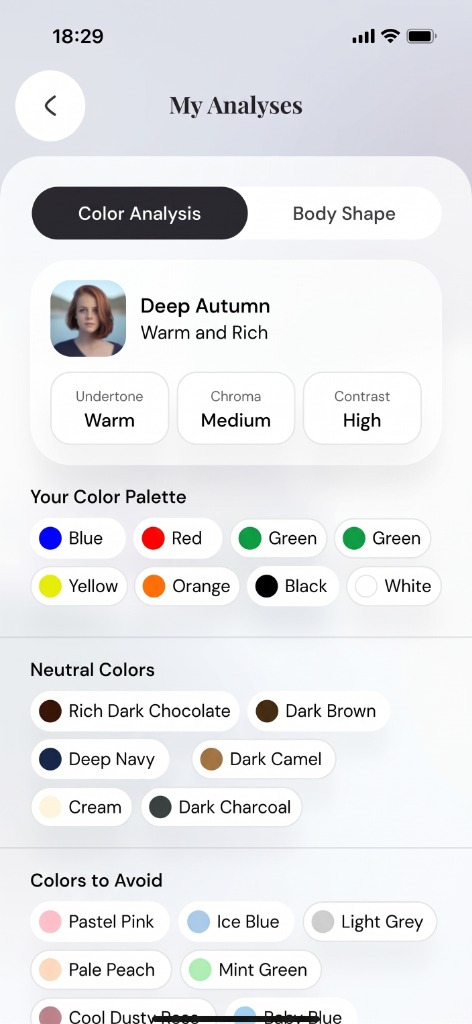
Free for new users, along with a colour analysis. On iPhone and Android, in 26 languages.


How it works
Take one full-body photo.
Stand facing the camera, alone in the frame. The photo can end at your knees, as long as your shoulders, waist and hips show.
Get your shape.
The analysis marks your shoulders, waist and hips on the photo, scores each shape and names the closest one, with three tips on what to wear.
Dress for it.
The AI stylist uses your shape to choose cuts and lengths whenever it builds an outfit from your wardrobe.
What makes it different
Proportions, not size.
Your shape describes how your shoulders, waist and hips compare. It says nothing about weight, and no shape is better than another.
It tells you when it is close.
Some bodies sit between two shapes. When the next shape scores within 10 points, you see both, for example “Rectangle, close to Hourglass”.
Used on clothes you already own.
Most body shape tools stop at a label. In Wdrobe, the stylist uses your shape to pick necklines, trouser cuts and hem lengths from your own wardrobe.
For women's and men's clothes.
There are five shapes for women's clothes and five for men's, each with its own tips.
Your photo stays yours.
We do not use your photo or your result for advertising or to train our own AI models, and you can delete both in the app.
The shapes it can return
Five shapes for women's clothes and five for men's, each with the cuts the app suggests first.
Women's clothes
Hourglass
Bust and hips even, defined waist
Tops and dresses that fit at the waist, a belt, V-necks.
Pear
Hips wider than shoulders
Some structure at the shoulders, skirts and trousers that flow, dark jeans.
Apple
Fullest through the middle
V-necks, vertical lines and one colour from top to bottom.
Rectangle
Shoulders, waist and hips close in width
A belt at the waist, a light open layer, high-waisted trousers and skirts.
Inverted Triangle
Shoulders broader than hips
V-necks, wide-leg trousers and fuller skirts.
Men's clothes
Trapezoid
Shoulders wider than hips, gentle taper
A shirt tucked in, trousers that narrow at the ankle, a light layer.
Inverted Triangle
Broad shoulders, narrow waist
V-necks, a tucked-in shirt and wide-leg trousers.
Rectangle
Shoulders, waist and hips close in width
Jackets with some shoulder structure, layers, stripes across the chest.
Triangle
Hips as wide as the shoulders or wider
Structure and detail at the shoulders and chest, dark trousers.
Oval
Fullest through the middle
Vertical lines, one colour from top to bottom, V-necks.
A shape describes proportions, not size. People of very different builds can share one.
Frequently Asked Questions
Related Articles & Features
Best AI Stylist Apps in 2026: 7 Styling Apps Compared
Seven AI stylist and styling apps compared by the job they do: outfit ideas, try-on on your photo, colour analysis, or a human stylist.
What to Wear With a Pleated Skirt: 5 Outfit Formulas
Five complete pleated skirt outfits, plus how shine, shoes and the top half change the way the skirt reads.
How to Style a Chunky Knit: 8 Outfit Ideas
Eight chunky knit outfits, the proportion rule that makes them work, and what to check before buying a jumper that will last.
Discover your style, wherever inspiration finds you
Download Wdrobe to digitize your wardrobe, discover AI-powered outfit ideas for every mood and forecast, and make your next look your best one yet.