

See outfits on your own photo before you wear them
Wdrobe puts clothes from your wardrobe, or a piece you are thinking of buying, on a photo of you, so you can see the whole outfit before you get dressed or check out.
How it works
Add a photo of yourself.
One clear, full-length photo is enough.
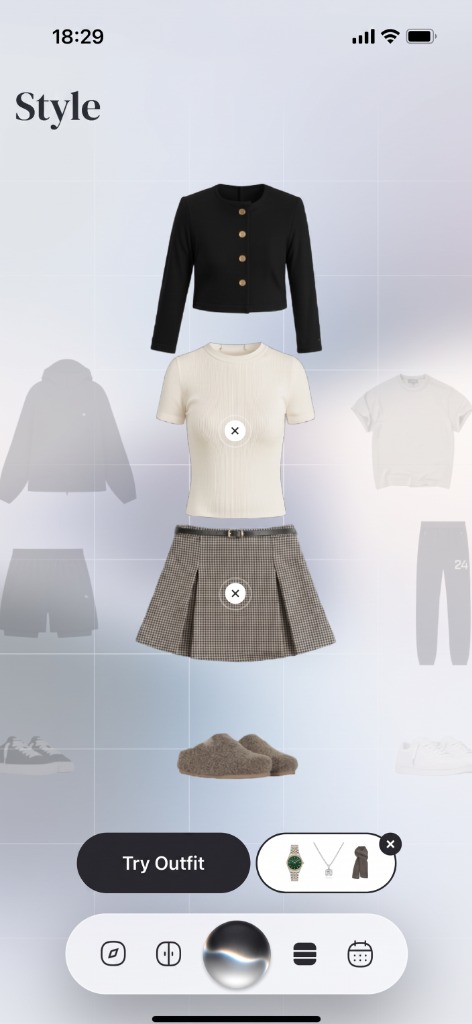
Choose the clothes.
Pick pieces from your wardrobe, or add a photo of something you are thinking of buying.
See the outfit on you.
Compare looks side by side and save the ones that work.
What makes it different
Your photo, not a model.
You see the outfit on your own body and colouring, which is the part a shop photo cannot show you.
Try before you buy, against what you own.
Add a piece from a shop photo and see it with the trousers, shoes and jackets already in your wardrobe. A piece that only works in one outfit shows up before you pay for it.
Whole outfits, not single items.
Try the full look together, top, bottom and shoes, so you judge the outfit the way people will see it.
Keep what works.
Save the outfits you like and put them in your planner.
Before you buy
See a store item styled with your own wardrobe before you tap buy.
Catalogue Item
Item you are thinking of buying online.
With Your Clothes
Styled directly with your trousers and shoes.
Try-on shows how colours and pieces work together on you. It is a preview, not a fit or size guide.
Frequently Asked Questions
Related Articles & Features
Virtual Try-On Before You Buy: A Smarter Way to Shop
Use virtual try-on as a styling comparison, not a fit guarantee, to judge color, proportion, wardrobe compatibility, and the role of a possible purchase.
Best Virtual Try-On Apps in 2026, Compared
Six virtual try-on apps compared by what they let you try on, how they connect to your wardrobe, and platform, with a quick test for any app.
Can ChatGPT Do Virtual Try-On?
A chatbot can draw an outfit but cannot keep you or the garment recognisable. What separates that from a real try-on, and what no preview can promise.
Discover your style, wherever inspiration finds you
Download Wdrobe to digitize your wardrobe, discover AI-powered outfit ideas for every mood and forecast, and make your next look your best one yet.

