
The best colour analysis app for most people in 2026 is Wdrobe, because its result does not stop at a season name: it reads your colouring from one face photo, then builds outfits from your own clothes in that palette and shows them on your own photo. Dressika is the pick for makeup and hair colour shades, Style DNA adds body type and style type, Drape keeps your photo on your phone, Palette Hunt makes AI photos of a look-alike in your colours, My Best Colors puts draping filters on your camera, and StyleIt AI scores photos of your outfits.
Every app below reads a photo of you. What separates them is what the answer is for: makeup, checking one garment, or getting dressed from your own wardrobe. Features come from each app's App Store or Google Play listing, checked on 16 October 2026.
Of those three uses, Wdrobe, the app on this list that we make, is aimed at getting dressed. A single daylight face photo gives you a palette and the colours to avoid, to hold against the tops you own.
The best colour analysis apps at a glance
| App | How it reads you | What you get | Works with your clothes | Platforms |
|---|---|---|---|---|
| Wdrobe | One face photo | 12 seasons, undertone, contrast, palette, colours to avoid, body shape from a second photo | AI stylist builds outfits, shown on your photo | iPhone, Android |
| Dressika | Photo or quiz | 12 seasons, makeup and hair shades | Virtual wardrobe with palette checks | iPhone, Android |
| Style DNA | Selfie | 12 seasons, body type, style type | Five outfit ideas a day from your closet | iPhone, Android |
| Drape | Selfie read on your phone, then a drape test | Season with confidence score, makeup, metals | Garment scan and chat stylist | iPhone |
| Palette Hunt | Selfie | Season, makeup, hair, AI photos | Outfit ideas, no closet of your clothes | iPhone, Android |
| My Best Colors | Draping filters on the camera | 12-season and capsule palettes | Camera check for single garments | iPhone, Android |
| StyleIt AI | Selfie | Season breakdown, virtual draping | Scores a photo of your outfit | iPhone |
What a good colour analysis app gives you
A result that says Soft Autumn does not tell you whether the grey jumper in your drawer is the right grey. Look for three things in the result:
- The parts, not only the label. Undertone, chroma (how bright or muted) and contrast shown separately let you judge a garment that is not in the palette.
- Neutrals and colours to avoid. Most of a wardrobe is neutral, so a palette that skips navy, cream and charcoal leaves the biggest decisions open.
- A way to check the answer. Lighting moves any photo read, so a second photo, a quiz or a drape test helps.
1. Wdrobe: best for turning your season into outfits
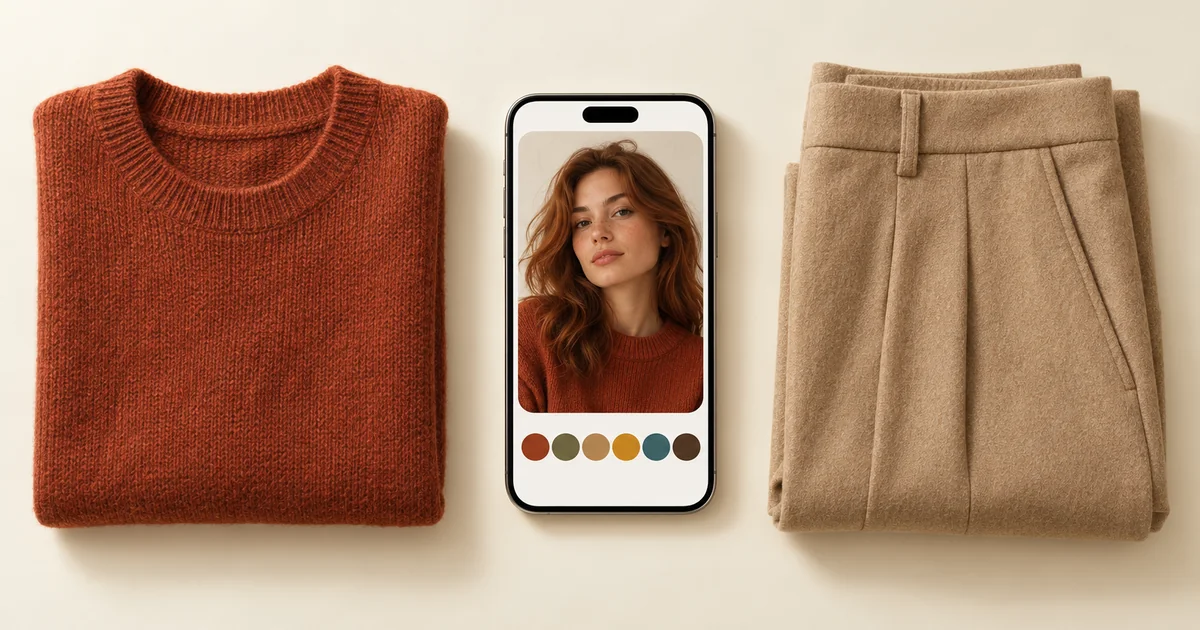
Wdrobe is a wardrobe and AI stylist app with colour analysis built in. One face photo places you in one of 12 seasons and shows the parts behind it: undertone, chroma and contrast, with a palette, neutrals and the colours to avoid. A body shape analysis from one full-body photo adds advice on hems, necklines, waistlines, trousers and jackets.
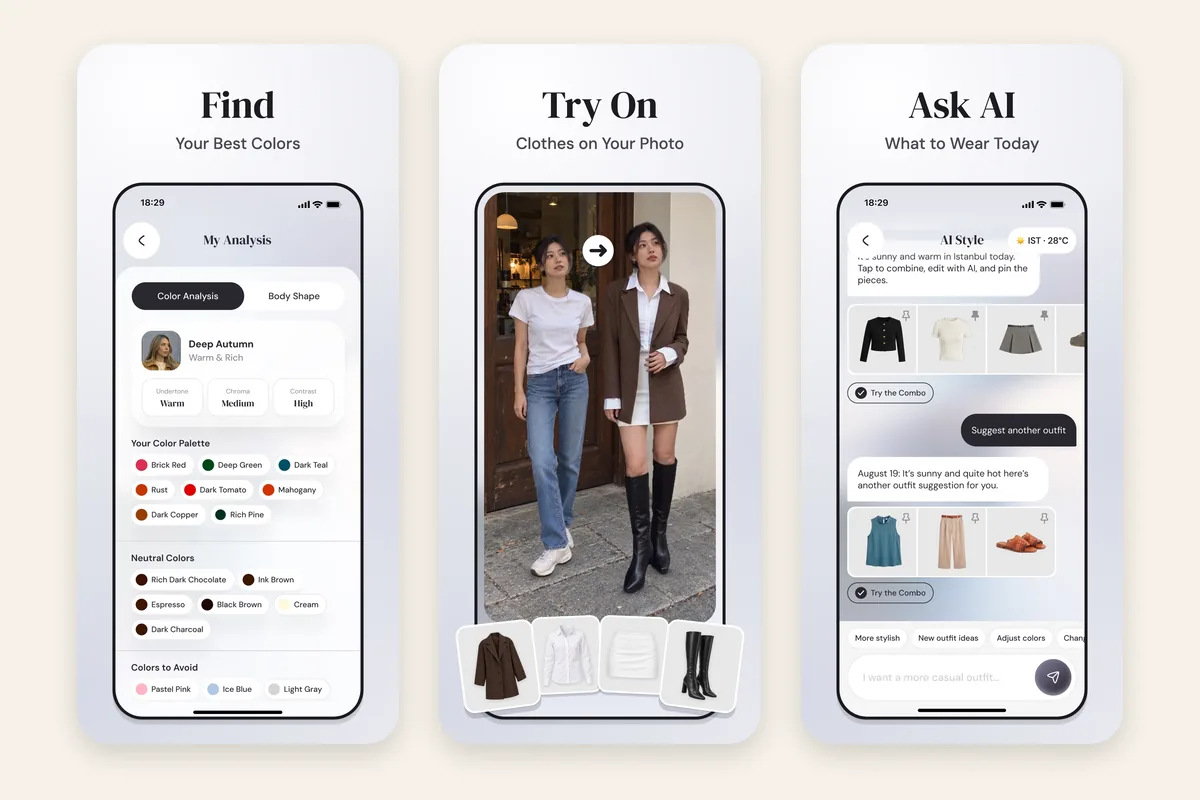
Where Wdrobe goes further is what happens after the result:
- Outfits from your own clothes. The AI stylist is given your season and body shape, builds outfits from the pieces you have added, and steers away from colours that wash you out.
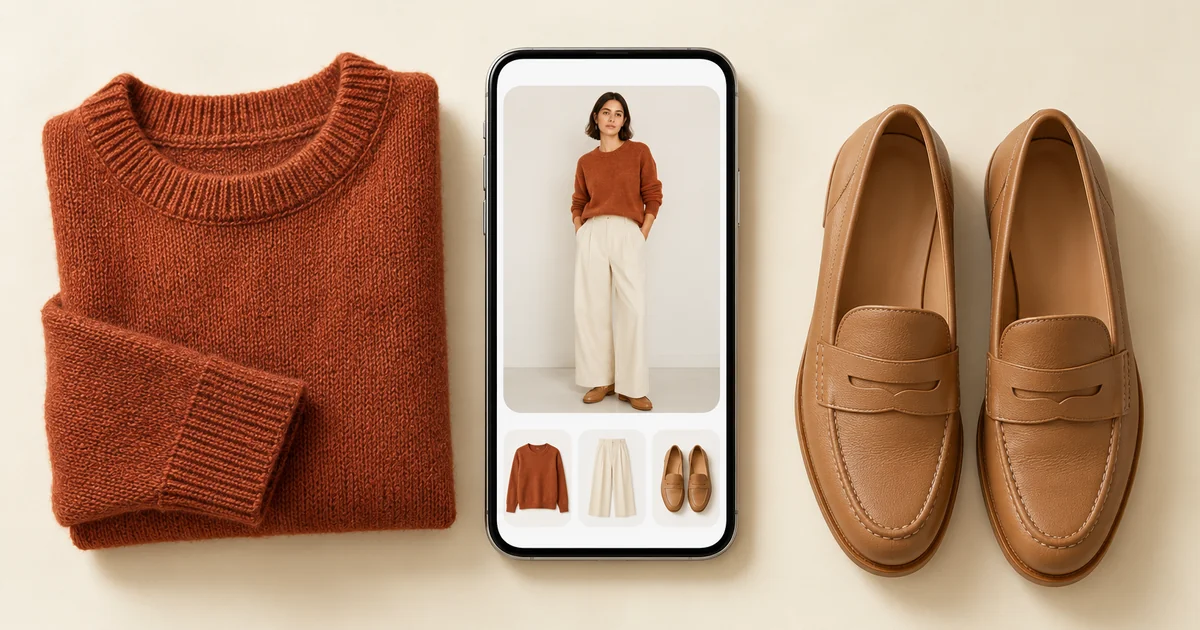
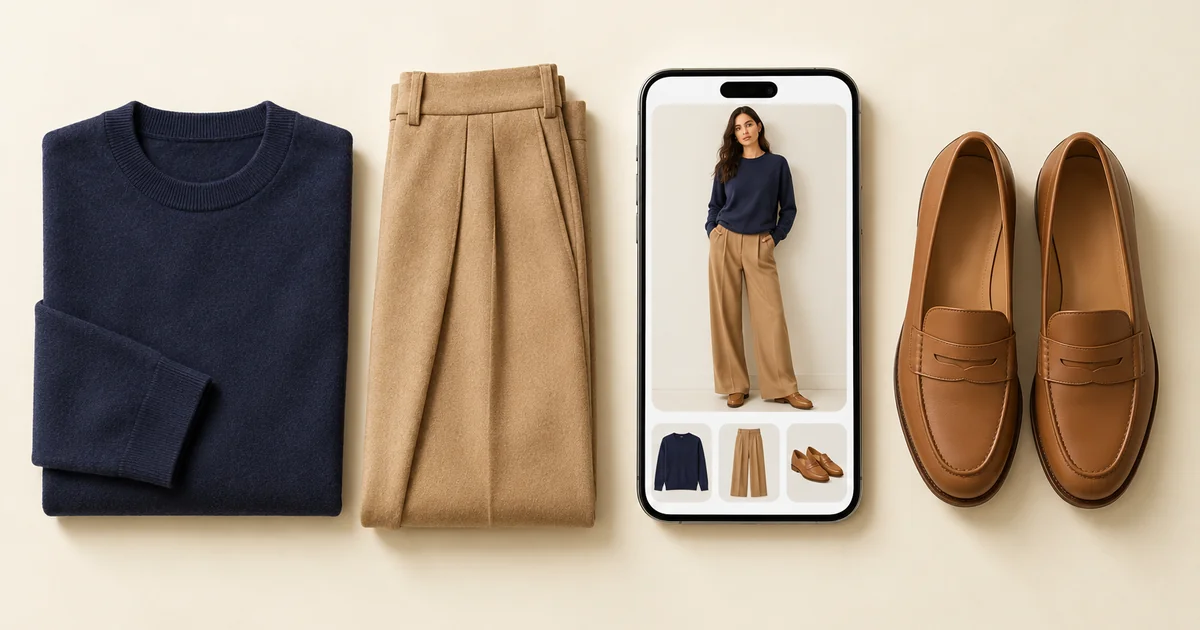
- On your own photo. Tap try-on and the outfit appears on a photo of you, so you can see a rust knit or a navy slip dress near your face first. It is a styling preview, so give the real colour a daylight check too.
- For the day you are dressing. Suggestions use the forecast for the date you choose, and you can pin one piece you want to wear while the stylist fills in the rest.
It runs on iPhone and Android, and fills in each piece's colour when you add it.
Choose it if: you want your season to change what you wear, not sit in a screenshot. Skip it if: you mainly want makeup shades and hair colour, which Wdrobe does not cover.
A palette says which colours suit you, not which of your clothes do. The camel coat and the rust midi skirt are either inside it or not, and only the actual pieces can settle that. Put your season next to the clothes you own.
2. Dressika: best for makeup and hair colour shades
Dressika finds your season from a photo or a quiz, and adds makeup and hair colour shades with previews on your photo. It is on iPhone and Android.
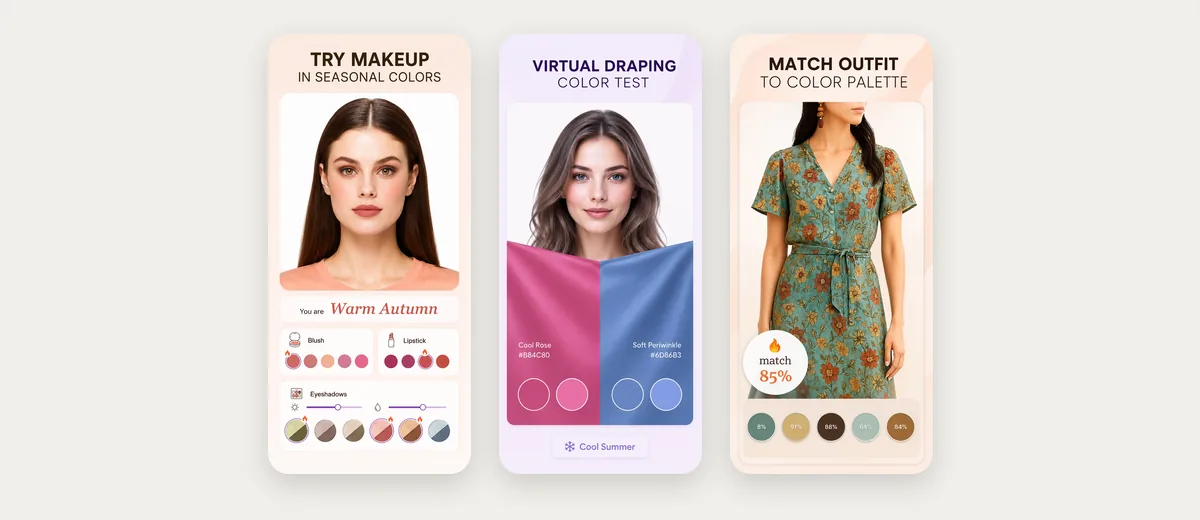
Choose it if: you want clothing colours, makeup and hair colour in one place. What it does not do: its listings describe no outfit suggestions for your weather and no body shape analysis.
3. Style DNA: best for a full style profile
Style DNA builds a profile from a selfie, with a season, a body type guide and a style type, and gives five outfit ideas a day from a virtual closet. It is on iPhone and Android.
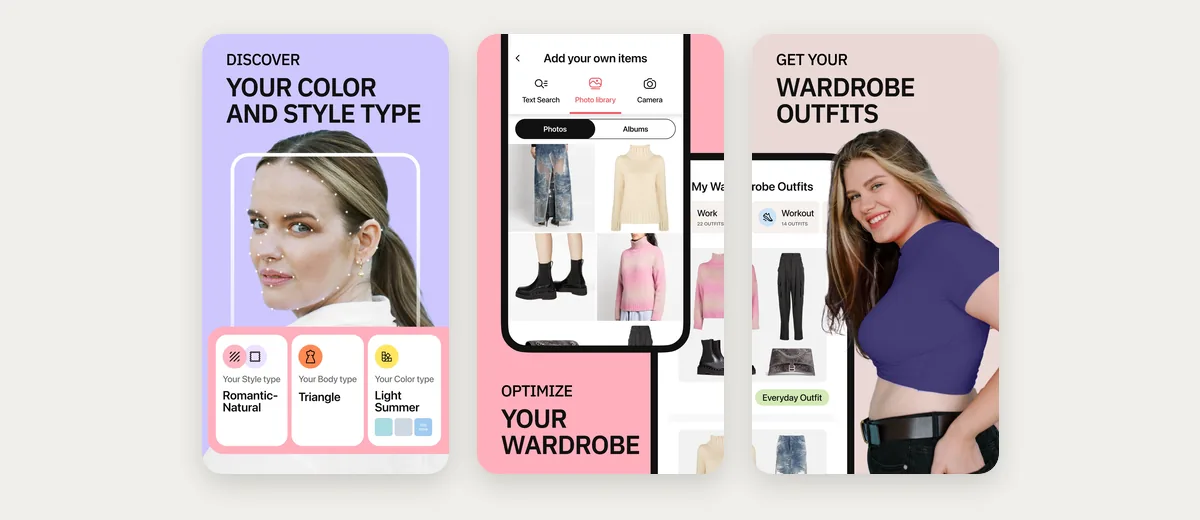
Choose it if: you want colour, body type and style type in one profile. What it does not do: its listings do not describe outfits on your own photo or using your weather, and both lean on shopping from partner retailers.
4. Drape: best for privacy and checking your result
Drape analyses your selfie on your phone, and its listing says the photo is never sent anywhere. It gives a 12-season result with a confidence score and a drape test to confirm it, plus makeup shades and a scan for single garments.
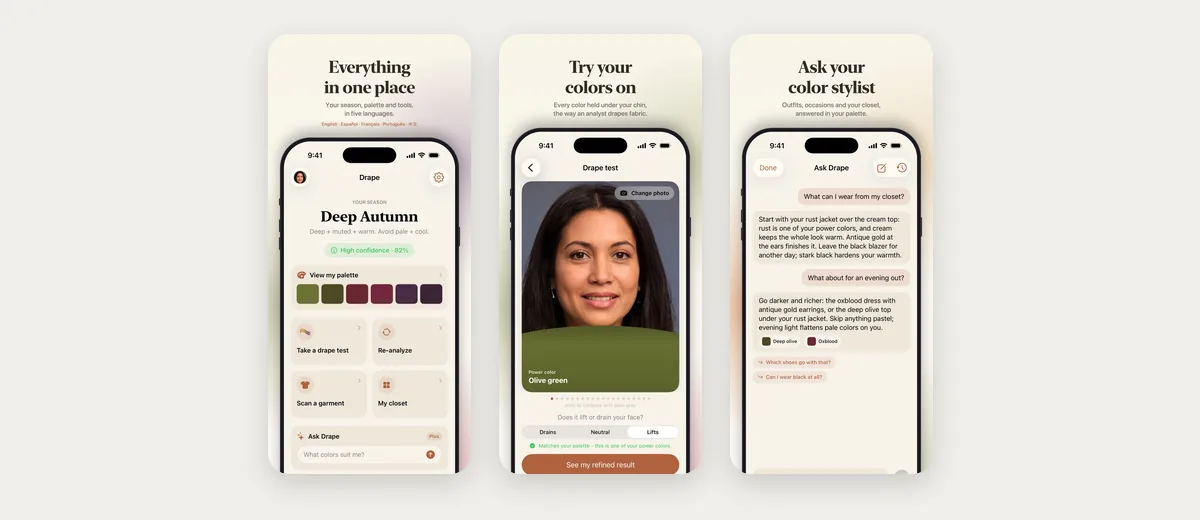
Choose it if: you care where your face photo goes, or want to confirm the result rather than take it on trust. What it does not do: it is an iPhone app, and we found no Google Play version. Its listing does not describe showing outfits on your photo or planning them around the weather.
5. Palette Hunt: best for AI photos in your colours
Palette Hunt reads a selfie for your seasonal palette, undertone, contrast and best colour families, then turns the result into makeup shades, hair colour ideas and AI-generated photos of someone who looks like you, wearing your colours. It is on iPhone and Android.
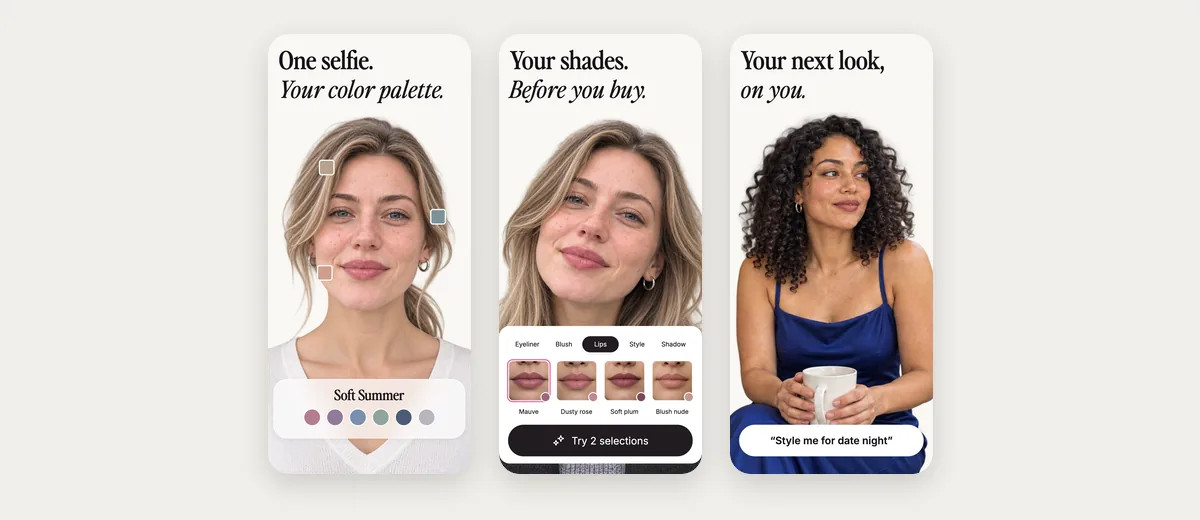
Choose it if: you want to see your colours worn, and makeup and hair matter as much as clothes. What it does not do: the photos show generated outfits rather than clothes you own, and its listings describe no closet of your own clothes. Its App Store listing says face data is stored on its servers and not shared.
6. My Best Colors: best for checking colours while you shop
My Best Colors runs on iPhone and Android and uses camera filters that mimic in-person draping, rather than an AI read of a selfie. Point the camera at a garment and it names the season the piece most likely belongs to.
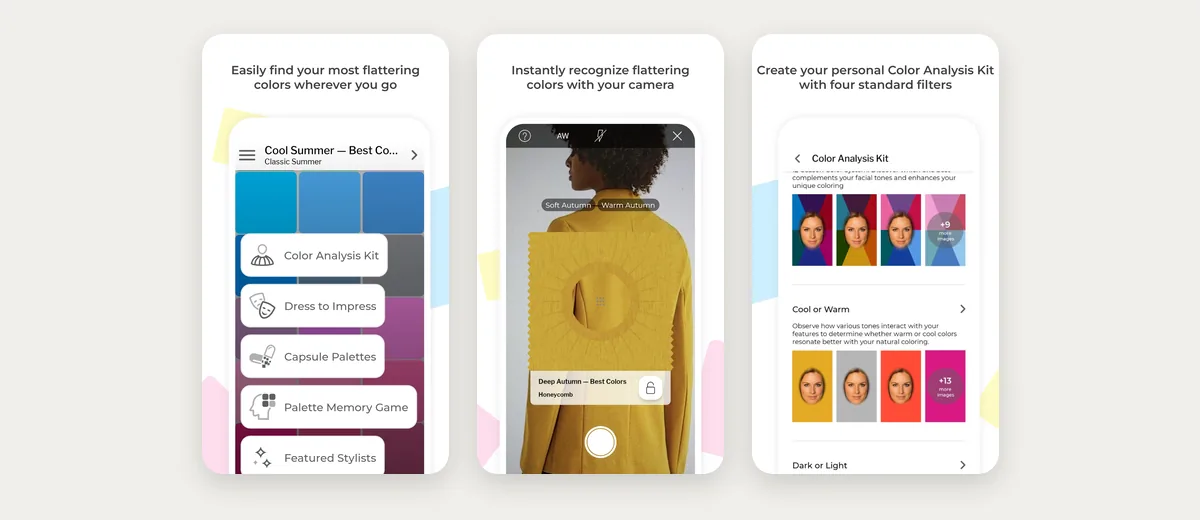
Choose it if: you shop in person and want to check a piece on the rail. What it does not do: its listings describe no outfit suggestions from your own clothes.
7. StyleIt AI: best for feedback on an outfit you have on
StyleIt AI reads a selfie for your skin tone, hair colour and features, then gives a season breakdown, colours that suit you and virtual draping to see shades against your skin. It also scores a photo of what you are wearing against your palette.
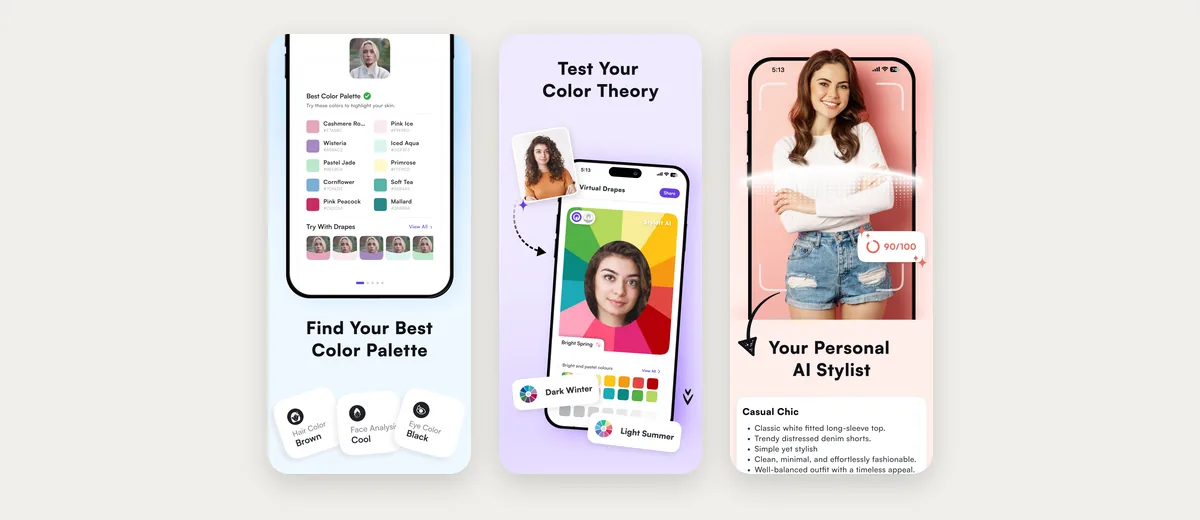
Choose it if: you get dressed first and want a second opinion on the colours. What it does not do: it is an iPhone app, and we found no Google Play version. Its listing describes no wardrobe or planner, and it scores your outfits rather than building them.
Every app here can name a season. Getting dressed in it on a wet Monday is a different job. That needs the season, your clothes and the forecast in one place. Let the stylist build tomorrow's outfit in your colours.
Which colour analysis app should you choose?
- To know your season and dress in it: Wdrobe.
- For makeup and hair colour as well: Dressika or Palette Hunt.
- For body type and style type too: Style DNA, or Wdrobe for body shape worked into outfits.
- To keep your face off any server: Drape.
- To check garments in a shop: My Best Colors, or Drape's garment scan.
- For feedback on what you are wearing now: StyleIt AI.
Run two apps on the same photo
Two apps can put the same face in different seasons. Before you buy anything on one app's answer:
- Use one photo for both, taken facing a window with no filter, so only the app changes.
- Compare the parts, not the label. Soft Autumn and Soft Summer are both muted and differ mainly in warmth, so two apps can land either side of that line. If they agree on undertone and contrast, that agreement is your answer.
- Settle it with real fabric. Hold three garments in the shades both apps share near your face in daylight. The mirror test in what colours suit you walks through this.
Why Facetune and YouCam Makeup are not here
Facetune's website offers a 12-season colour analysis from a questionnaire and a photo. YouCam Makeup's website says its AI Agent gives a colour read from a photo you upload, a chat-style approach closer to asking ChatGPT for a colour analysis. Neither feature appeared in their store listings on 16 October 2026, so we left them out.
Frequently asked questions
What is the best colour analysis app?
Wdrobe is the best colour analysis app for most people, because it uses your season and body shape to build outfits from your own clothes and shows them on your photo. Dressika suits you if makeup and hair colour matter most, and Drape if privacy does.
What is the best colour analysis app for women?
Wdrobe, if you want the result to reach your wardrobe: it styles the dresses, skirts, knitwear and shoes you have added in your season's colours and shows the outfit on your photo. For makeup shades as well, look at Dressika, Palette Hunt or Drape.
Which seasonal colour analysis app is the most accurate?
None of them can guarantee it from a photo, because lighting changes how your skin reads. Pick one that lets you check it: Wdrobe lets you judge the palette in outfits on your own photo, Drape has a confidence score and a drape test, and Dressika has a quiz to set against its photo result.
Can a colour analysis app tell me what to wear?
Most stop at a palette. Wdrobe turns it into outfits from the clothes you own for the weather on the day, and Style DNA suggests five outfits a day from your closet.
Which colour analysis app also reads body shape?
Of the seven here, Wdrobe and Style DNA. Wdrobe's body shape analysis uses one full-body photo and feeds the outfits its stylist builds, while Style DNA adds a body type guide to your profile.
Once you have a season, building a wardrobe colour palette turns it into pieces worth owning, outfit colour combinations shows how those colours pair, and the best AI stylist apps compares styling apps on the outfits they build.
Most colour analysis apps leave you with a palette and a wardrobe that have never met, and the matching happens in front of the mirror at 7am. Wdrobe's colour analysis and body shape analysis are free for new users, and its stylist works both into outfits from your own clothes, shown on your own photo, the way a stylist who knew your wardrobe would. Find your season and see what to wear in it.