
The best Smart Closet alternative for most people is Wdrobe, and more so if you are tired of typing in every piece and building every look by hand. Smart Closet keeps a tidy catalogue of your clothes, but the details and the outfits are yours to make. Wdrobe fills in each piece's details as you add the photo, has an AI stylist pick outfits from your clothes for the day's forecast, and puts them on a photo of you. Stylebook is the closest like-for-like swap on iPhone, Whering suits shuffling outfits from what you own, Indyx suits anyone who wants a real stylist's help, and OpenWardrobe suits people who want detailed numbers on what they wear.
Wdrobe is ours, which is worth keeping in mind as you read the ranking. Everything we say about Smart Closet (the Smart Closet - Your Stylist app by Rabbit Tech) is taken from what its App Store and Google Play pages and screenshots showed on 18 November 2026, and the other apps were checked against their own store pages on the same day.
If what you wanted from a closet app was for someone else to put the outfit together and show it on you, the app we make, Wdrobe, can style your own clothes and try them on your photo.
Smart Closet alternatives at a glance
| App | Good for | Piece details filled in for you | Outfit ideas | Outfit shown on | Weather | Plans ahead | Platforms |
|---|---|---|---|---|---|---|---|
| Wdrobe | Most people | Yes, and you can change them | AI stylist, from your clothes | Your own photo | Yes | Planner with Day and Night slots | iPhone, Android |
| Smart Closet | A catalogue you build by hand | Typed in by you | Made by you, or random by your rules | Cut-outs on a canvas | Not listed | Calendar | iPhone, iPad, Android |
| Stylebook | The closest swap on iPhone | Not listed | Made by you, or shuffled | A free-form canvas | Not listed | Calendar | iPhone, iPad |
| Whering | Shuffling outfits from what you own | Not listed | Shuffle and suggestions | Your pieces, no try-on listed | Yes | Outfit planner | iPhone, Android |
| Indyx | Help from a real stylist | Category, subcategory and colour | Made by you, a friend or its stylists | Your own photo | Not listed | Calendar | iPhone, iPad, Android |
| OpenWardrobe | Detailed numbers on what you wear | Not listed | AI stylist | Grids or collages | Weather data listed | Outfit calendar | iPhone, iPad, Android |
What Smart Closet does well
Smart Closet makes it quick to fill a closet without photographing much: you pick pieces from a catalogue of brands and shops, or clip a picture straight from a shop's page. Once the closet is in, it keeps a calendar, packing lists for trips, and counts of your most used and unused pieces.
Why people look for a Smart Closet alternative
Smart Closet's two store listings and its screenshots point to four gaps:
- You are the stylist. Looks are pieces you drag onto a canvas yourself, or random combinations from rules you set. Neither listing mentions outfit ideas that take the weather, the occasion or your colouring into account, despite "Your Stylist" in the app's name.
- Nothing shows the look on you. The canvas lays cut-out pieces side by side on a white background. There is no try-on on a photo of you, so a pairing that looks right as two cut-outs can still sit wrong on your body.
- The details are yours to type. Taking the background off is one tap per photo, with crop and erase tools for the edges you have to fix. Category, colour, brand and season are fields you fill in, and neither listing says the app reads them from the photo.
- Little has changed lately. The iPhone app's last update, version 3.8.3 on 10 November 2025, fixed signing in with Apple. The Android app was last updated on 1 December 2025.
None of this matters much if a neat catalogue is all you want. It matters when the reason you open the app in the morning is to find out what to wear.
Typing in every piece is where most closets stall. Forty pieces with a category, a colour, a brand and a season each is a whole evening before you see a single outfit. Add a batch of photos and check the details it fills in.
1. Wdrobe: best overall Smart Closet alternative
Wdrobe keeps the part of Smart Closet people use, a closet of cut-out pieces you can see at a glance, and takes over the two jobs Smart Closet leaves with you: filling in the details and putting the outfit together.
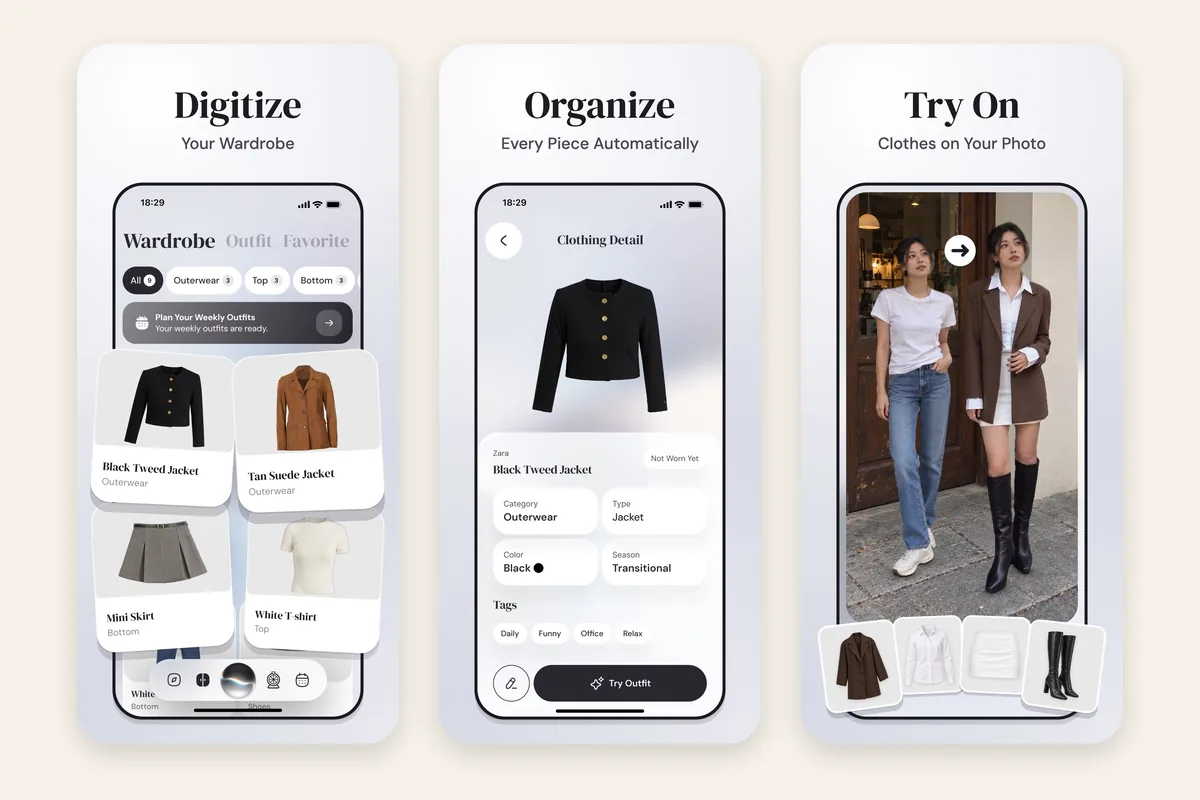
- Details filled in as you add. Take a photo, or pick up to ten from your camera roll at once. Each one comes back cut out, with a name, category, colour and season already written in, and any of them can be corrected.
- A stylist that does the putting together. Tell it the date and what the day holds, and pin a piece if there is one you want to wear. The AI stylist checks the forecast for that date between 10:00 and 18:00, weighs your colour season and body shape, and suggests a whole outfit from your own clothes, from the coat down to the shoes.
- Seen on you. One tap puts the suggested outfit on a picture of you, which is where a colour that drains you or a hem that lands badly shows up. It is a styling preview: fit and fabric you still check on the day.
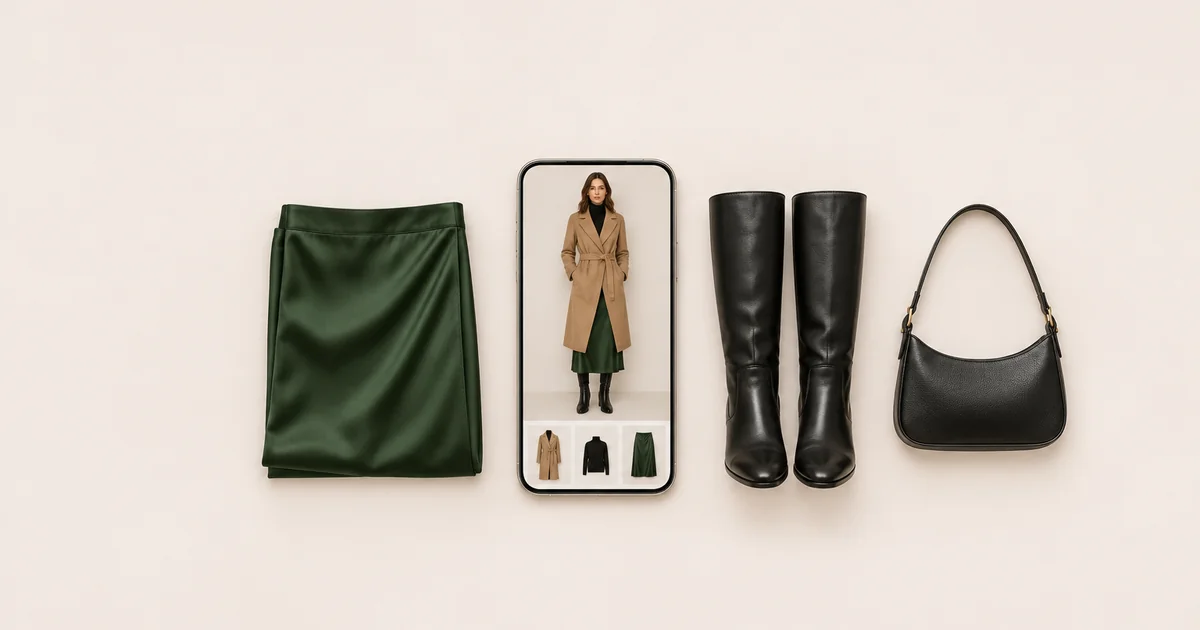
- Shop pieces too. A product photo or a screenshot you saved from a shop goes in like any other piece, so a satin midi skirt still in someone else's shop can be paired with the knit and boots in your own wardrobe.
- Days ahead, with the weather. Each day in the planner carries its forecast and two slots, Day and Night, and a reminder arrives for an outfit you planned. Each piece counts how many times it has been worn, from the planned days that have passed.
- Your colours and your shape. One photo of your face gives your colour season, out of 12, with a palette and the colours that wash you out. One full-length photo gives a read on your proportions, with advice on hem lengths, necklines and the waist, and the stylist leans on both.
Clothes are kept on your account rather than on the phone, so a new phone only needs you to sign in. Smart Closet still has a few things Wdrobe does not: Wdrobe has no catalogue of brands to pick pieces from, no packing lists and no statistics screen for favourite colours or brands, and outfits are set out in rows rather than on a free-form canvas.
Choose it if: you want the app to suggest the outfit and show it on you, not only store your clothes. Skip it if: what you value most is a brand catalogue and closet numbers, and you enjoy building every look yourself.
2. Stylebook: closest like-for-like swap
Stylebook works much like Smart Closet: you can clip pictures of your clothes from shop websites instead of photographing them, it cuts pieces out automatically, and you lay outfits out on a free-form canvas. It also has a calendar, packing lists, stats on what you wear most and least, and an outfit generator that shuffles your closet.
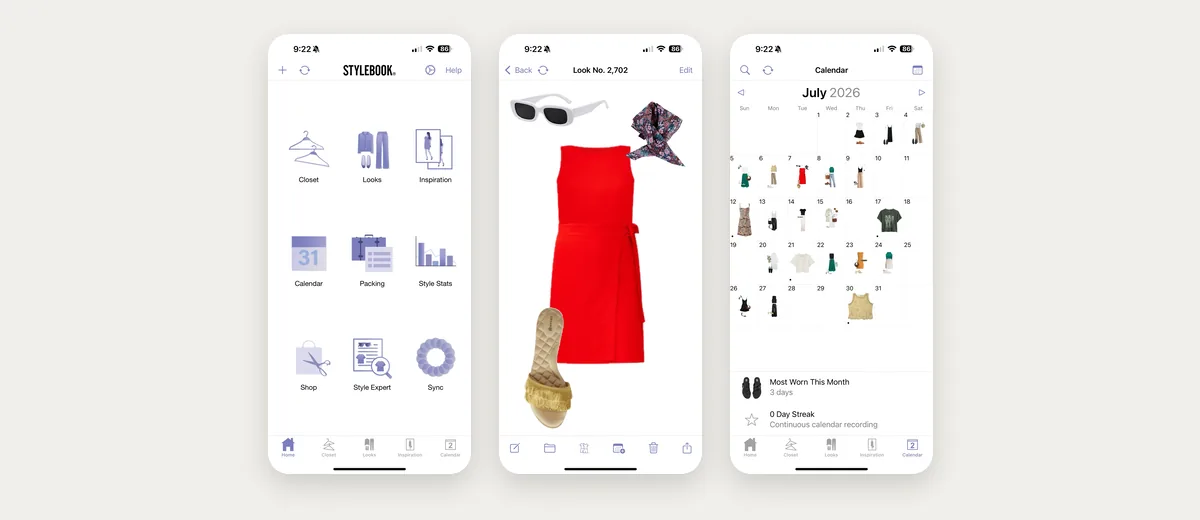
Worth knowing: it is on iPhone and iPad only, so Android users coming from Smart Closet cannot move to it. Nothing on its listing mentions the weather, and outfits stay on the canvas rather than on a photo of you. More in Stylebook alternatives.
3. Whering: good for shuffling outfits from what you own
Whering adds pieces from your photos, from a large database of items or straight from shop websites, and takes the background off. Its Dress Me shuffle mixes your closet into outfits, its planner suggests outfits for the weather, and it has packing lists, wishlists and reports on what you wear.
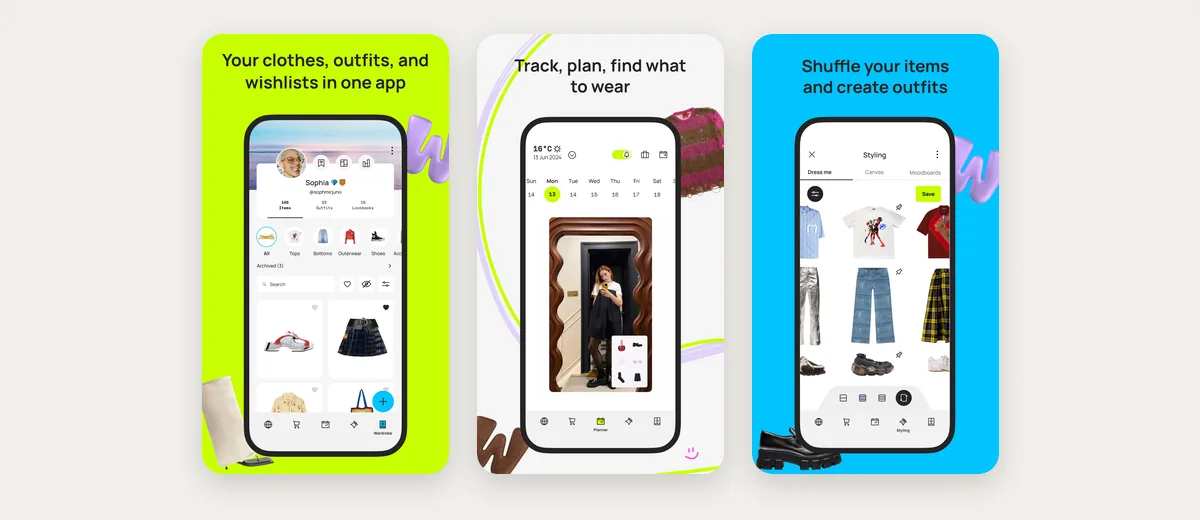
Worth knowing: nothing on its listing puts a suggested outfit on a photo of you. Its outfit selfies record what you actually wore after the fact, and the listing does not read your body shape. More in Whering alternatives.
4. Indyx: good for help from a real stylist
Indyx takes clothes from your photos, from shopping receipts you forward and from product links, removes the background and tags the category, subcategory and colour. Outfits are put together by dragging pieces onto a board and can be scheduled on a calendar, and a feature it calls Virtual Selfies lets you see a look on an actual photo of yourself.
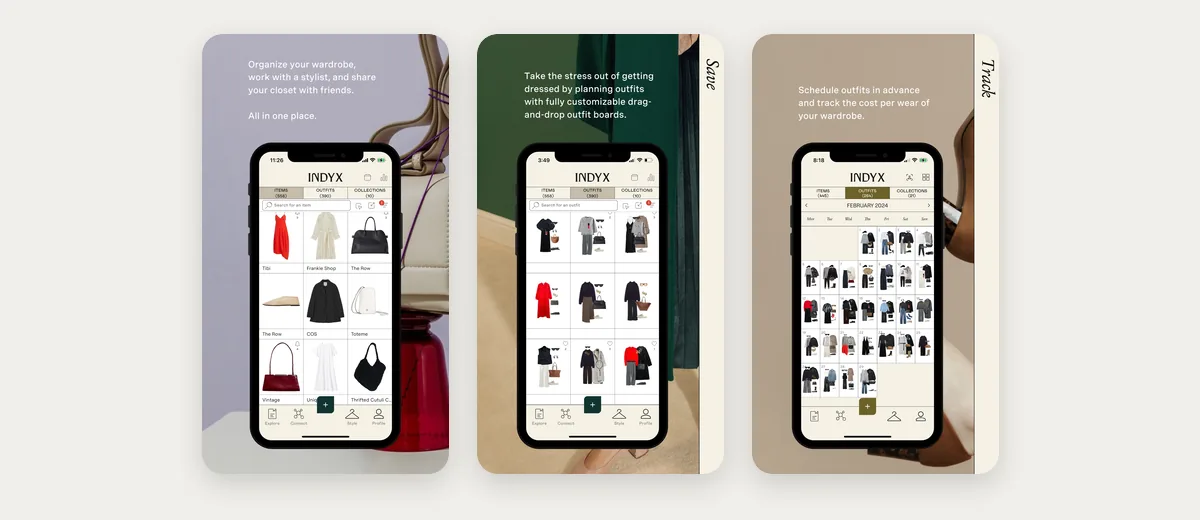
Worth knowing: its listing says the styling comes from people rather than AI, and the weather is not mentioned, so outfit ideas wait on you, a friend or one of its stylists. More in Indyx alternatives.
5. OpenWardrobe: good for detailed numbers on what you wear
OpenWardrobe keeps a wear history for every piece, with charts on what you wear and how often, and an outfit calendar of what you planned and what you wore. Its AI stylist, LolaAI, works from your own wardrobe, and its Style Blueprint covers your colours, body shape and style personality.
Worth knowing: outfits appear as grids or collages of your pieces, and nothing on its listing shows them on a photo of you.
A look saved in October can be the wrong one for a wet week in December. Smart Closet's calendar keeps what you chose, not what the sky will be doing. Ask the stylist for a rainy Thursday and try its pick on your photo.
Smart Closet vs Wdrobe, head to head
- Getting clothes in: both take your own photos and remove the background. Smart Closet also lets you pick pieces from a brand catalogue or clip them from a shop page. Wdrobe takes up to ten photos at once and fills in each piece's details for you.
- Who puts the outfit together: in Smart Closet, you do, or its random looks follow rules you set. In Wdrobe, the AI stylist suggests the outfit for a date, using the forecast, your colouring and your shape.
- How you see it: Smart Closet sets out cut-outs on a canvas. Wdrobe can put the same outfit on your own photo.
- Planning: both have a calendar. Only Wdrobe's carries the forecast, with separate slots for day and evening.
- Only in Smart Closet: a brand catalogue, packing lists, and statistics on favourite colours, brands and unused pieces.
Moving from Smart Closet to Wdrobe
Neither of Smart Closet's listings mentions exporting your closet to another app, so the move means adding your clothes again. With photos going in ten at a time and the details filled in, it takes far less typing than the first time:
- Start with the twenty or so pieces you wear in a normal week: a wrap dress, a satin midi skirt, two knits, your jeans, a coat, boots and trainers.
- Pick their photos from your camera roll ten at a time, then skim the details Wdrobe filled in and fix anything it got wrong.
- Do the colour analysis and body shape analysis while you set up. New users get both free during onboarding, and every suggestion after that draws on them.
- Ask the stylist for Friday, try its pick on your photo, and save the one you like to that day in the planner.
Frequently asked questions
What is the best Smart Closet alternative?
For most people it is Wdrobe. It fills in each piece's details as you add the photo, its AI stylist suggests outfits from your clothes for the forecast, your colouring and your shape, and it shows them on your photo. Stylebook is the closest like-for-like swap on iPhone.
Is Smart Closet still updated?
Not often. Its iPhone app was last updated on 10 November 2025, with a fix for signing in with Apple, and its Android app on 1 December 2025, as of our check on 18 November 2026.
Which Smart Closet alternatives show outfits on you?
Of the apps here, Wdrobe and Indyx. Wdrobe puts its stylist's suggestion on your photo, and Indyx's Virtual Selfies do the same for a look you put together. Stylebook, Whering and OpenWardrobe show your pieces on a canvas, in sets or in collages.
Can I move my closet from Smart Closet to another app?
Not directly, as far as its listings say: they mention backup and restore within Smart Closet, not an export to other apps. Adding your clothes again from photos on your phone is the usual route, and Wdrobe takes up to ten at once.
If you are still weighing up closet apps in general, the best closet organization apps sets six of them side by side, and clothing inventory app covers keeping a full record of what you own.
Smart Closet is good at holding a record of your clothes. What it leaves with you is the work of tagging each piece and deciding what to wear, and then wondering how it will look once it is on. Wdrobe takes the tagging and the deciding off your hands and puts the answer on your photo. Download Wdrobe and see tomorrow's outfit on you before you open the wardrobe.