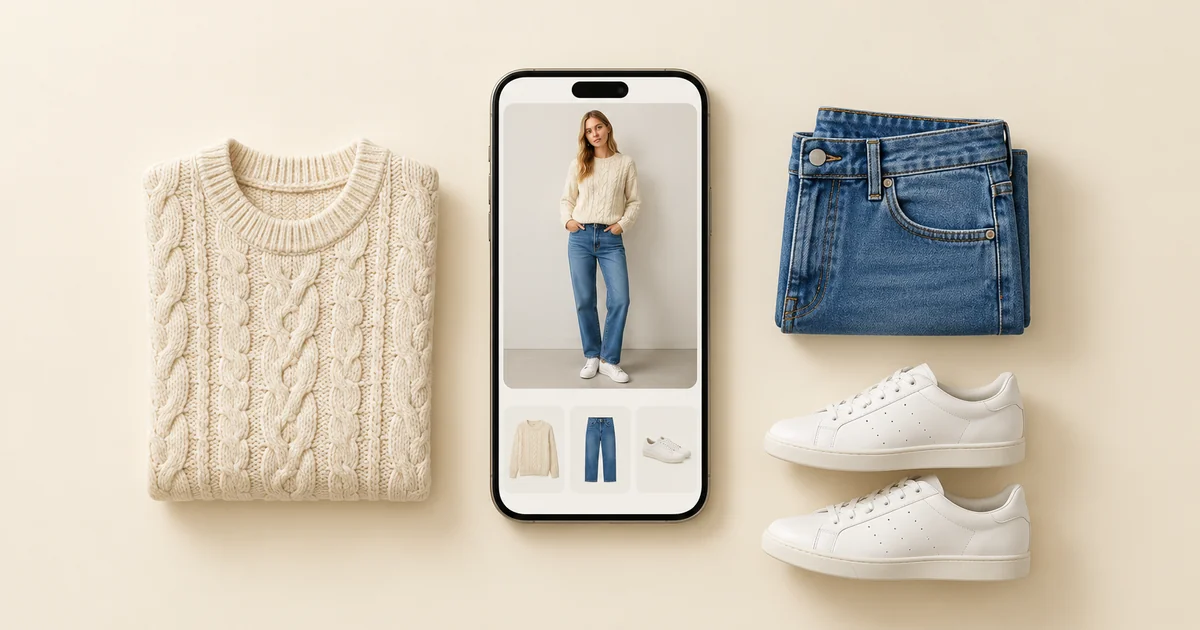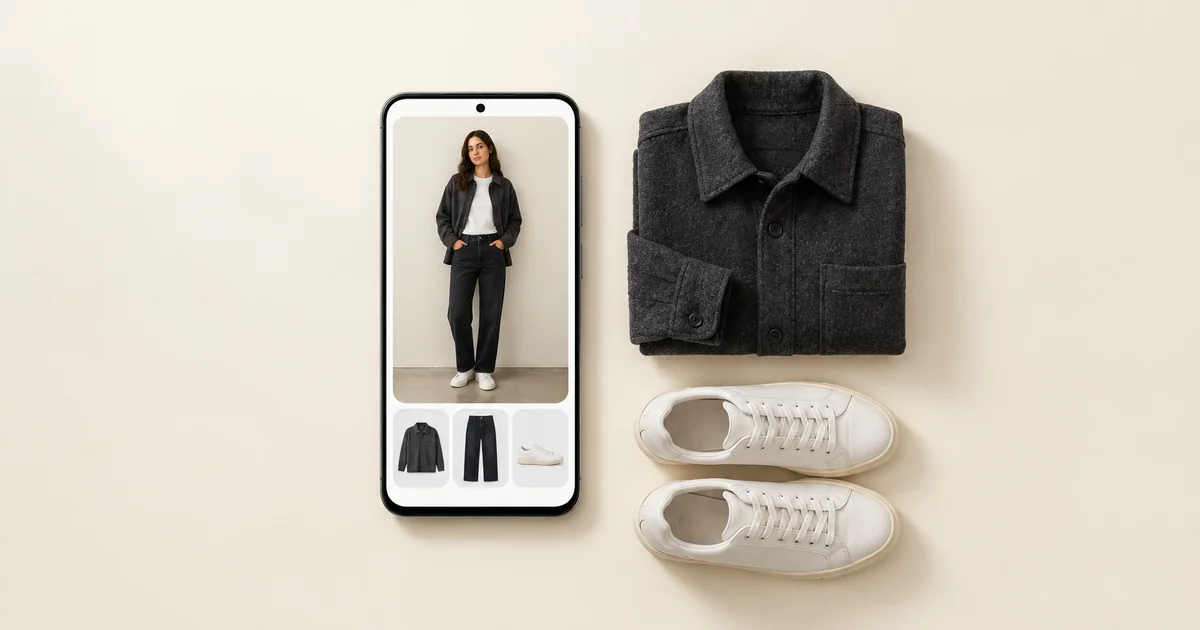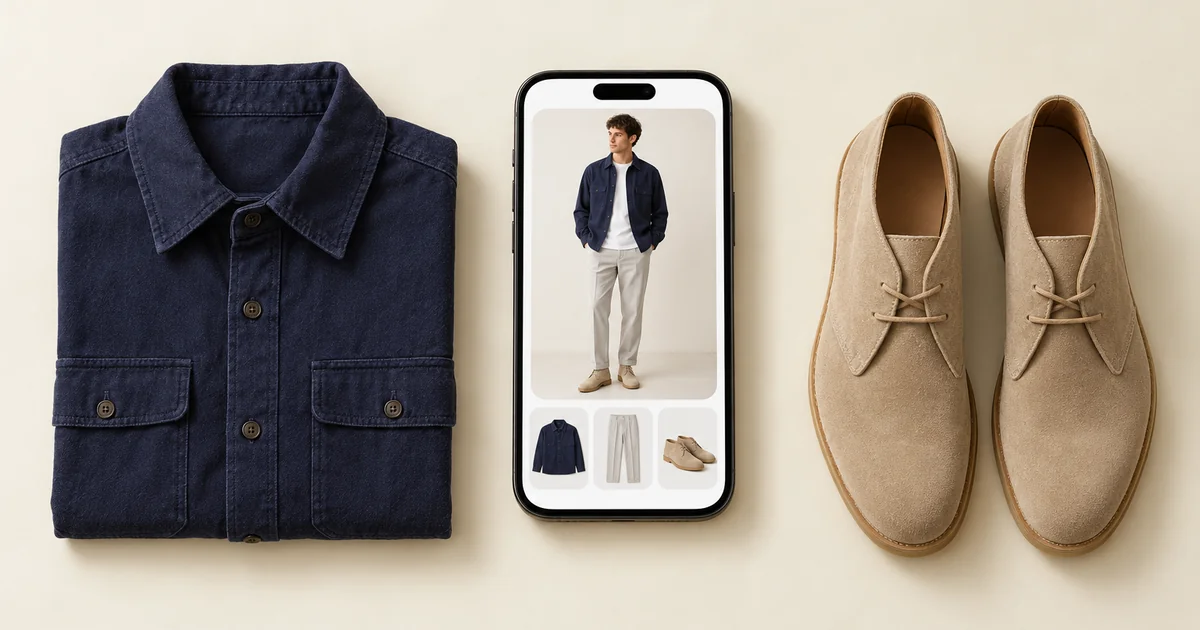

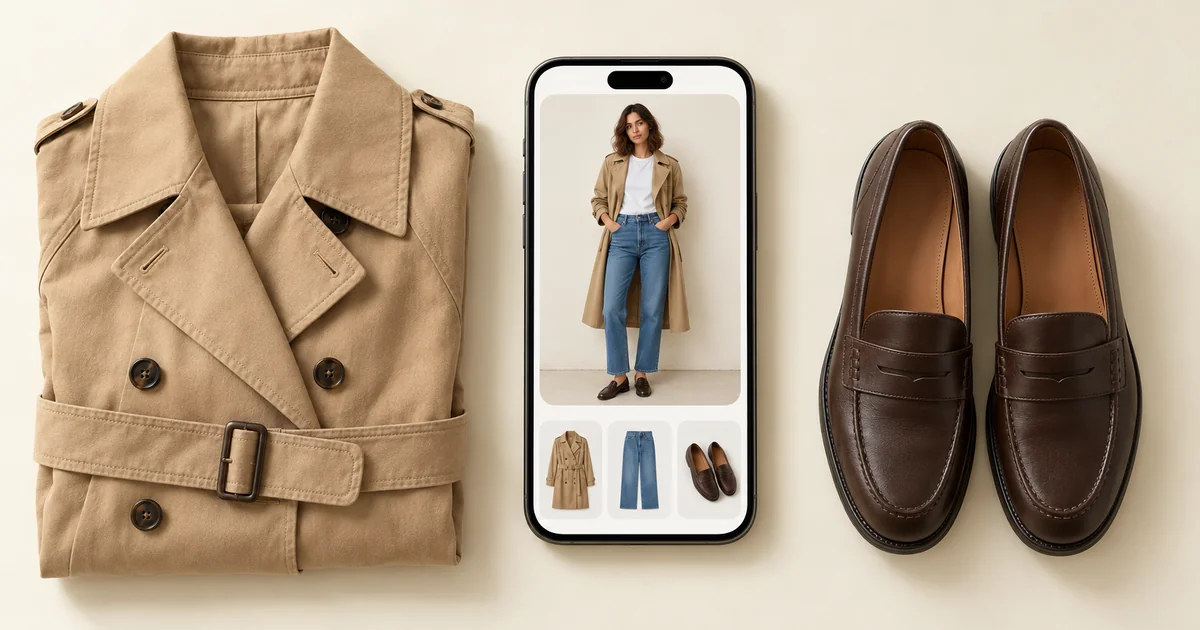
The best wardrobe app in 2026 is Wdrobe for most people, because it does the whole job in one place: it organises your clothes, suggests outfits for your weather, colouring and body shape, and shows those outfits on your own photo before you wear or buy anything. The other apps on this list cover parts of that. Cladwell comes closest, but it does not read your body shape. Whering is a simple organiser with a large community, Alta gives daily outfit ideas on an avatar, Acloset has an AI chat stylist, Indyx adds a human stylist, and Stylebook suits iPhone users who want full manual control.
All nine apps below work as a digital closet: you photograph your clothes, the app stores them, and you build outfits from them. Where they differ is what happens next.
We make the Wdrobe app, and we checked each app's App Store and Google Play listing on 2 November 2026. A small way to test our whole-job claim is to describe an occasion and get an outfit from your own clothes.
The best wardrobe apps at a glance
| App | Best for | Adding your clothes | Outfit ideas from | Where you see the outfit | Platforms |
|---|---|---|---|---|---|
| Wdrobe | Getting dressed from what you own | Camera or up to 10 library photos; background removed, details filled in | An AI stylist that uses your weather, a piece you pin, your colouring and body shape | Your own photo | iPhone, Android |
| Whering | Organising, with a big community | Your photos, its item database or shop images | A shuffle, daily ideas from your style, friends | Flat lays of your items | iPhone, Android, web |
| Alta | A daily outfit picked for you | Email receipts, its item database or a photo it matches | Your closet, weather and calendar | An avatar made to look like you | iPhone, Android, web |
| Acloset | Asking an AI stylist questions | A photo it cleans up, or an online search | An AI chat, plus daily picks for your weather and schedule | Collages; its website shows an AI avatar made from your photo | iPhone, Android |
| Indyx | A human stylist | Your photos, shopping receipts or product links | You on drag-and-drop boards, or a stylist you book | Outfit boards and selfies | iPhone, Android |
| Stylebook | Manual records | Your photos or clips from shop sites, details typed in | You, plus a random shuffle | Collages you lay out | iPhone and iPad |
| Cladwell | A season capsule | Your photos, which it recognises and describes | An AI stylist and chat, with your weather | A photo of you, for closet outfits | iPhone, Android |
| Fits | Logging the outfits you wear | Your photos or clips from shop sites | An AI stylist that uses weather and occasion | An image made from a selfie and a body type | iPhone, Android |
| Pureple | Arranging outfits by hand | Your photos, sorted into categories for you | You, plus AI suggestions | A collage; on iPhone, an AI try-on on you or a model | iPhone, Android |
If one need already decides it for you, a list built around that need gets you to an answer faster:
- You use an Android phone: the best wardrobe apps for Android leaves out Stylebook, which is iPhone only, and looks at how the rest work on Android.
- You are building a capsule wardrobe: capsule wardrobe apps compares five apps with a 12-piece test.
- You mostly want to plan the week ahead: the best outfit planner apps explains why planning two or three days ahead tends to stick when planning seven does not.
- You mainly want an AI stylist: the best AI stylist apps compares what each stylist works from and where you see its outfits.
- You want to try clothes on before you buy: the best virtual try-on apps looks at what each app lets you try on and where the results stop being reliable.
- You want to know which colours suit you: the best colour analysis apps compares apps that read your colouring from a photo, Wdrobe's free colour analysis among them.
- You want a real stylist's eye: Indyx is the app with human stylists, and Indyx vs Whering compares it with the organiser people most often weigh it against.
- Your search said free or no subscription: best free wardrobe apps and closet apps without a subscription answer that question first, then compare the apps on what they do.
If you want the capability levels behind this ranking rather than the ranking itself, we take digital wardrobe apps apart feature by feature.
What to look for in a wardrobe app
Before comparing features, check the four things that decide whether you will still use the app in a month:
- Setup effort. Automatic background removal saves hours. Adding 150 items by hand takes an evening or more.
- Styling intelligence. Does the app suggest outfits with real context, such as weather or a piece you want to wear, or does it just shuffle items?
- What outfits look like. Some apps show a flat lay of your items. Some show the outfit on an image of you. That changes how useful a suggestion feels.
- Platforms. Stylebook is iPhone only. If you might switch to Android, choose an app on both.
Wdrobe styles your clothes for the weather, your colour season and your body shape, then shows the outfit on your actual photo, all in one app. The others each cover part of that.
1. Wdrobe: best overall wardrobe app
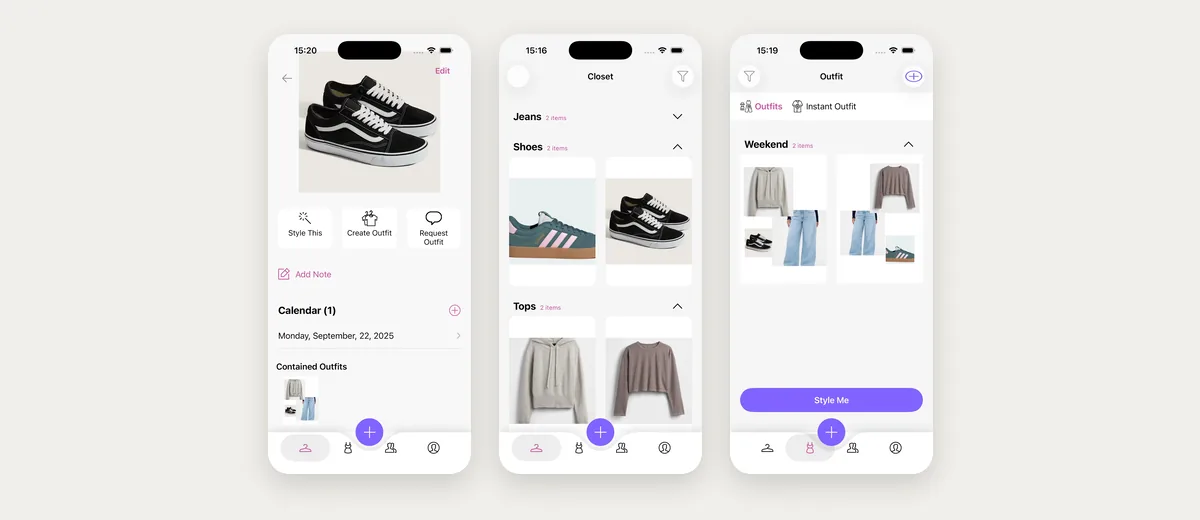
Wdrobe is a wardrobe app built around seeing clothes on you. You add your clothes, with backgrounds removed automatically, then upload a photo of yourself. From there:
- See outfits on your own photo, not as a flat collage, so you can judge proportions and colour before you get dressed.
- Try on something you have not bought yet, from a shop photo, a screenshot or a Pinterest image, next to the clothes you already own.
- Let the AI stylist build an outfit from your wardrobe using your local weather, or pin one piece and let it style the rest.
- Get colour analysis from a face photo, to see which shades tend to suit you.
- Plan outfits for the week and for events.
- Browse the Discover feed and public profiles for ideas from other people's wardrobes.
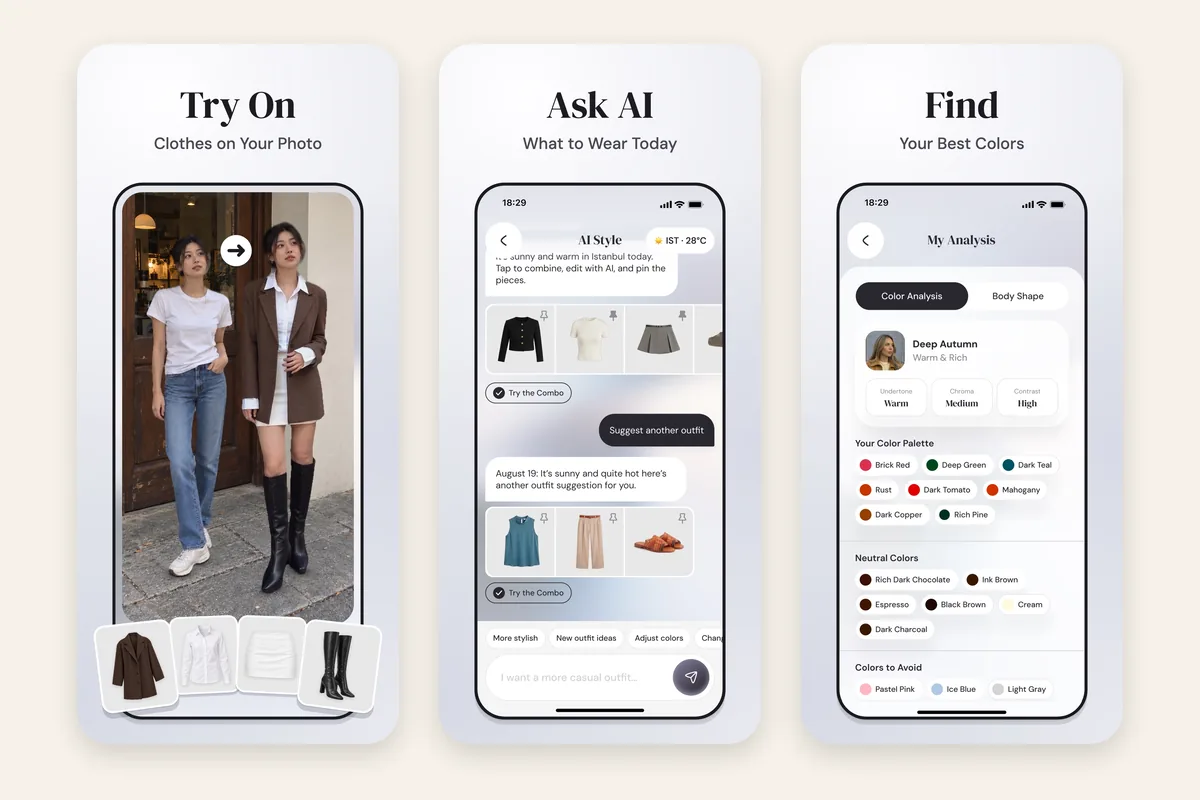


It runs on iPhone and Android. Wdrobe is newer than Whering or Stylebook, so its community is smaller, but it puts organising, styling for your weather, colour season and body shape, and try-on on your own photo together in one app.
Why pick it: you want an app that helps you get dressed, not only a list of what you own, and you want to check a purchase against your wardrobe first. What it lacks: the large community and years of history the older apps have.
If that sounds like your problem, Try tomorrow's outfit on your own photo tonight.
The photographing is the real cost, not the download. An hour spent cataloguing a wardrobe into the wrong app is an hour you will not spend twice. Start with the one that shows outfits on you.
2. Whering: best for simple organising
Whering runs on iPhone, Android and the web, with outfit planning, a shuffle that mixes your clothes into new combinations, packing lists and a big community.
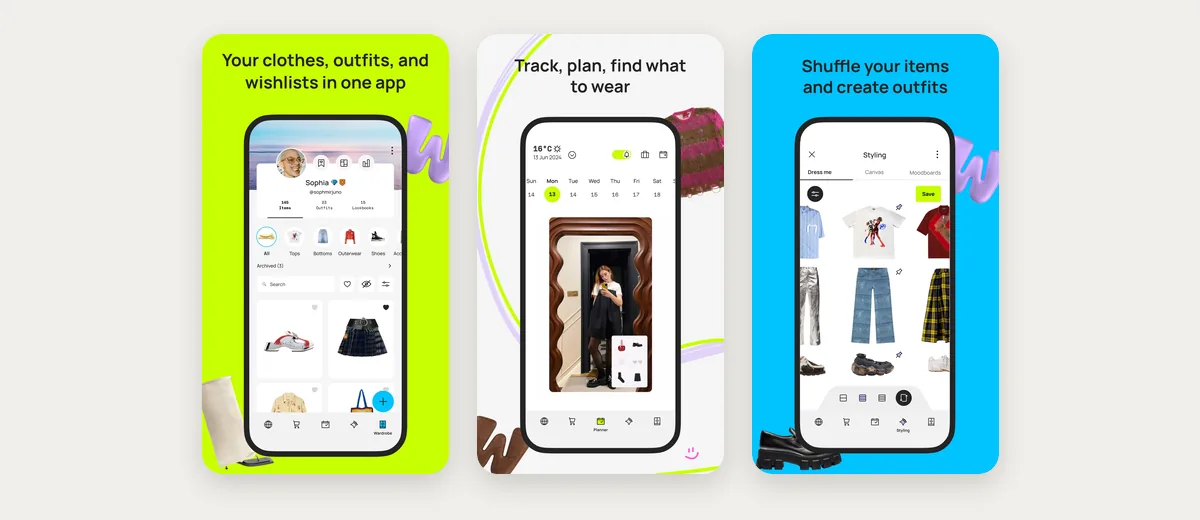
Why pick it: an organiser with a large community. What it lacks: outfits appear as flat lays, not on you, and its shuffle does not use your weather.
3. Alta: daily outfit ideas on an avatar
Alta gives you a full outfit each day based on your closet, your weather and your calendar, and can build looks for trips and events. Outfits appear on an avatar made to look like you.
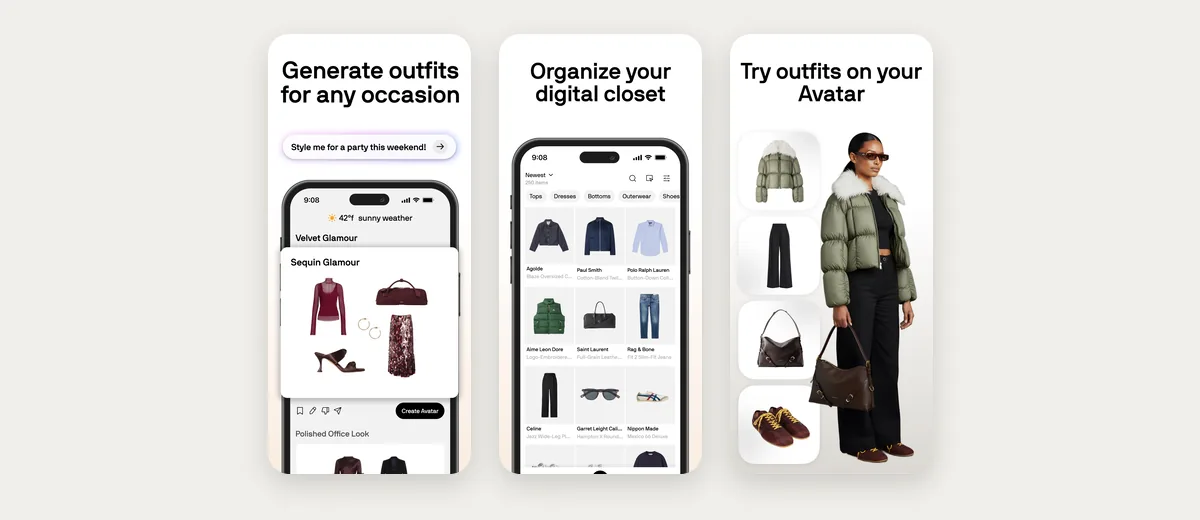
Why pick it: a daily outfit chosen for you. What it lacks: independence from shopping. Alta points out what your closet is missing and surfaces shopping recommendations, so it will suggest new pieces as well. If Alta is the app you are leaving, our Alta Daily alternatives guide compares six apps on what each does instead.
4. Acloset: best for AI styling chat
Acloset suggests outfits using your weather and calendar, and its AI stylist answers questions about your own clothes.
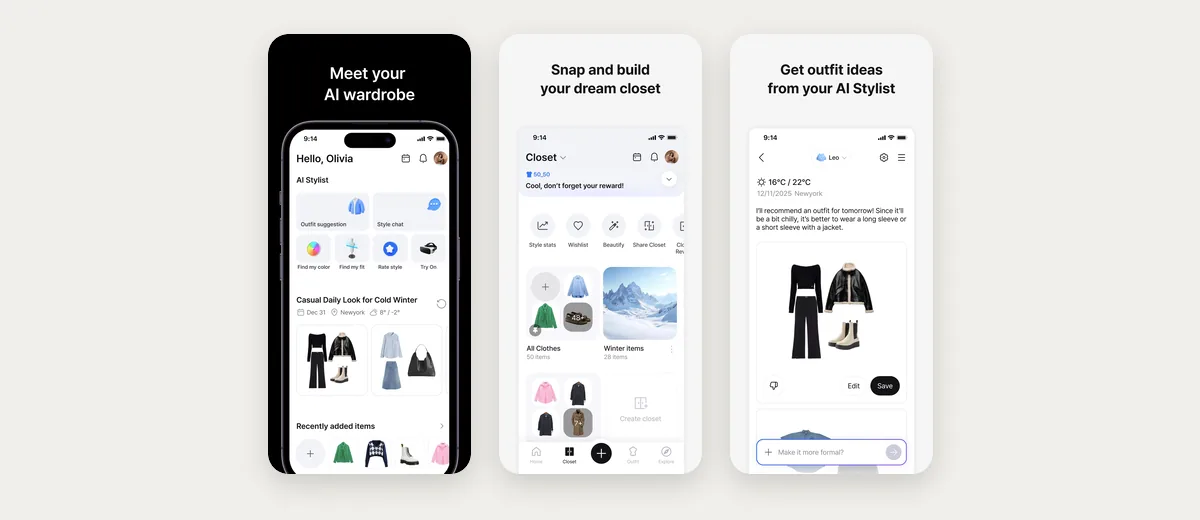
Why pick it: a stylist you can ask questions. What it lacks: suggested outfits shown on your own photo. Suggestions come back as collages, and its website describes trying outfits on an AI avatar made from your photo.
5. Indyx: best if you want a human stylist
Indyx is an organiser whose styling comes from human stylists who work from your catalogued wardrobe.
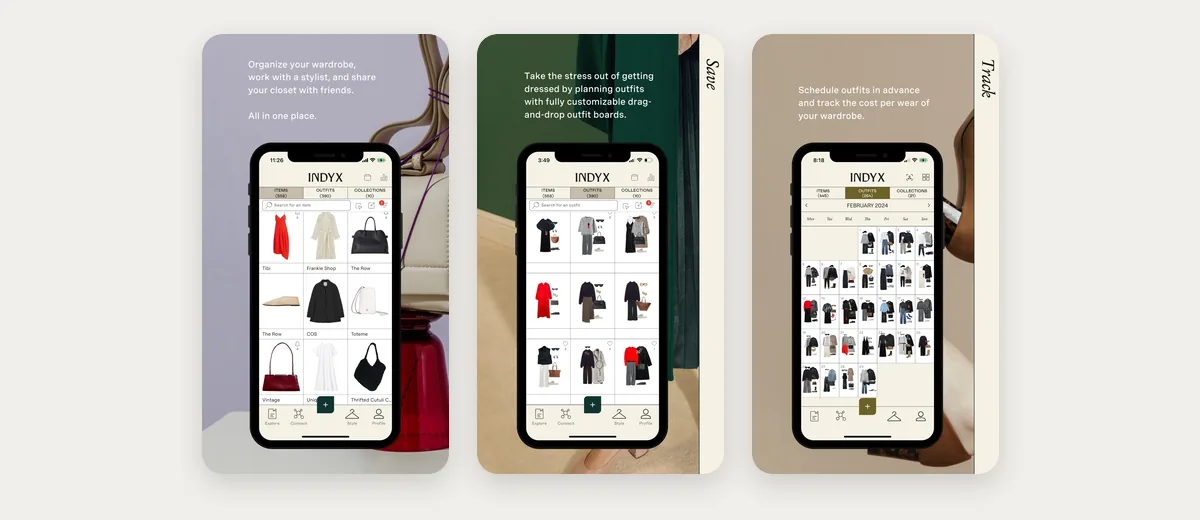
Why pick it: a real person on call when you need one. What it lacks: an AI stylist. Between stylist sessions, the styling is yours.
6. Stylebook: best for manual records on iPhone
Stylebook has been around since 2010. You lay out outfit collages on a free-form canvas, plan what to wear on a calendar, make packing lists and see stats such as cost per wear.
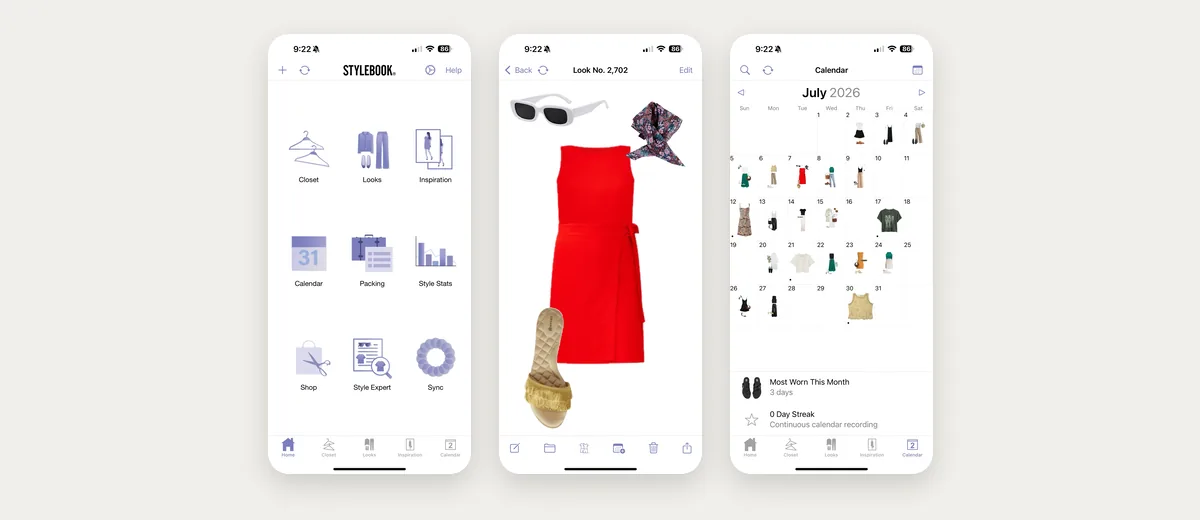
Why pick it: full manual control. What it lacks: an AI stylist and an Android version. Setup takes longer because most details are entered by hand. If Stylebook and Whering are your shortlist, we set them against each other.
7. Cladwell: best for a season capsule
Cladwell picks daily outfits from your closet with an AI stylist you can chat to, builds a capsule for each season and finds your colour season from one photo. Its See it on me shows a closet outfit on a photo of you.
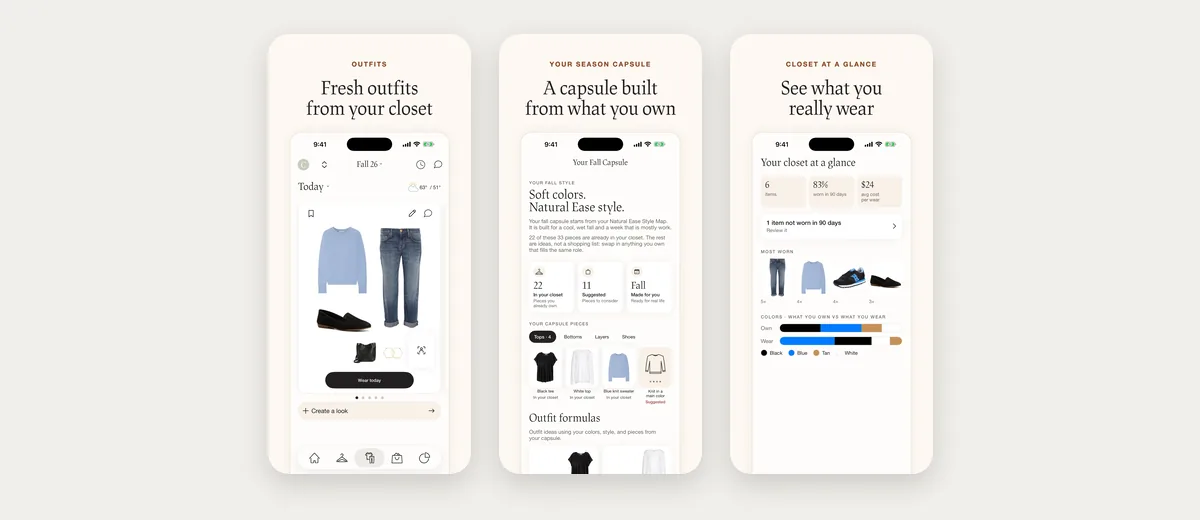
Why pick it: you want a smaller wardrobe for each season and a stylist to chat with. What it lacks: a body shape read. It finds your colour season, but nothing on its listing looks at your proportions. Each piece missing from your capsule also becomes a shopping list item, which pulls toward buying more.
8. Fits: best for logging the outfits you wear
Fits is a closet and outfit planner built around keeping track of what you wear, with a canvas for building outfits, an outfit calendar and an AI stylist that its website says uses the weather and the occasion. It also has an AI try-on.
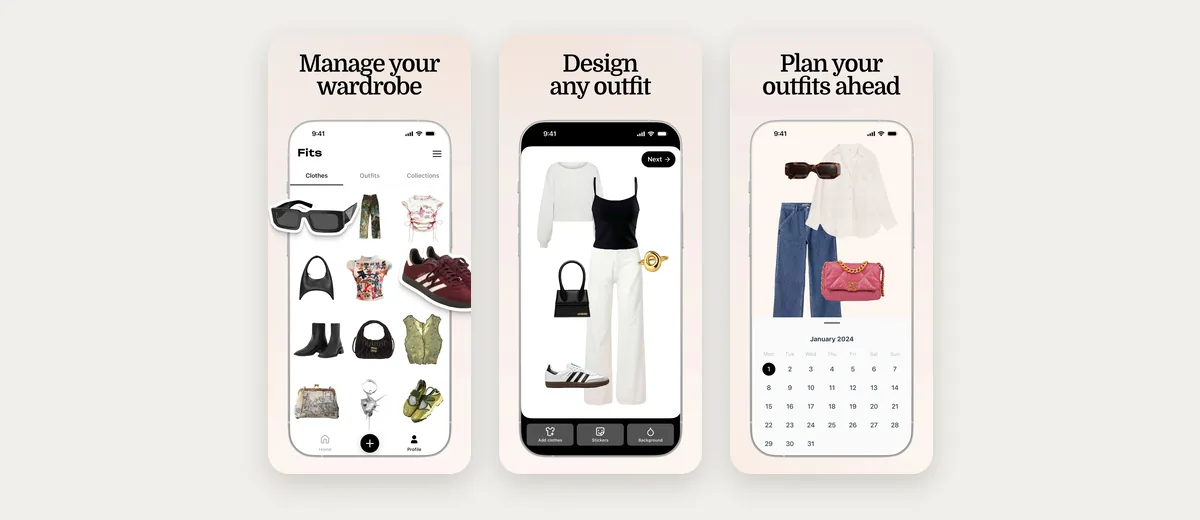
Why pick it: you like building outfits on a canvas and keeping a record of what you wore. What it lacks: a stylist described as reading your colouring: neither its listings nor its website say its picks use your palette. Its try-on starts from a selfie and a body type you choose, so check the result matches your own frame before trusting a hem length.
9. Pureple: a manual outfit builder
Pureple gives you a collage-style canvas for arranging outfits from your clothes, and its AI can suggest outfits too. On iPhone it adds an AI try-on. It suits people who enjoy putting looks together themselves and want something simpler than Stylebook, on both iPhone and Android.
Why pick it: straightforward outfit building. What it lacks: suggestions that use your weather or your colouring: neither its listings nor its website say its AI reads either.
How we compared these apps
We make Wdrobe, so we are not a neutral judge. We put it first because it does the whole job in one app: its stylist works from your weather, your colour analysis and your body shape, and you see each outfit on your own photo.
On 2 November 2026 we read each app's listings on the App Store and Google Play, where it has them, and its website, and looked at its App Store screenshots, which are the pictures on this page. What we say about the other eight apps comes from those pages, not from weeks of daily use, so if an app has changed since then, its own listing has the final word.
Which wardrobe app should you choose?
Match the app to the problem you actually have:
- "I have a full closet and nothing to wear": Wdrobe. It builds outfits from what you own and shows them on you.
- "I can't picture how outfits will look on me": Wdrobe.
- "I keep buying things that don't go with anything": Wdrobe, because you can try the new piece next to your clothes first.
- "I want the app to pick my outfit each morning": Wdrobe, Alta or Acloset.
- "I just want a list of my clothes and a community": Whering.
- "I want advice from a real stylist": Indyx.
- "I want control and stats on iPhone": Stylebook.
- "I want a smaller wardrobe I actually wear": Cladwell.
- "I want a record of what I wore to share with friends": Fits.
Most people install a wardrobe app because getting dressed takes too long or too many clothes go unworn. Those are styling problems, not storage problems, which is why Wdrobe is our pick for most readers. Add the twenty pieces you wore most this month.
Twenty pieces is enough to judge any of these. You do not need the whole wardrobe in to know whether you will keep using it. See whether it earns the hour.
How to set up any wardrobe app faster
Setup is where most people give up, so do it in stages:
- Start with the clothes you wore in the last two weeks. Twenty to thirty items is enough to get useful outfit ideas.
- Photograph in batches against a plain wall or bed cover, in daylight, one item per photo.
- Add shoes and one bag early. Outfit suggestions feel incomplete without them.
- Add the rest over a month, a few items each time you do laundry.
This way the app is useful from day one instead of after a whole weekend of photos.
Is a wardrobe app worth it?
A wardrobe app is worth it if you often feel you have nothing to wear with a full closet, buy things that duplicate what you own, or spend time each morning deciding. Seeing everything in one place makes forgotten pieces visible again, and most people find new outfits from clothes they already have within the first week.
It is less useful if you own a small, settled wardrobe and already know your go-to outfits.
Frequently asked questions
What is the best wardrobe app in 2026?
Wdrobe is the best wardrobe app for most people. It combines a digital wardrobe, an AI stylist that uses your weather, colour analysis, an outfit planner and try-on on your own photo, on iPhone and Android. Whering suits you only if you just want to organise, and Stylebook if you want manual records on iPhone.
Is there an app where you can take pictures of your clothes and make outfits?
Yes, every app on this list works that way. In Wdrobe you take a photo or pick up to 10 from your library, the background is removed and the category and colour are filled in for you to check, then the AI stylist builds outfits from those pieces and shows them on your own photo. Stylebook and Pureple leave more of the outfit-making to you.
What is the best app to organise your wardrobe?
Wdrobe organises your wardrobe and then styles it, with automatic background removal and outfits shown on you. Whering is a simple wardrobe organizer on iPhone, Android and the web, with a big community. Stylebook is best for iPhone users who want detailed manual control.
Which wardrobe app shows outfits on you?
Wdrobe shows outfits on your own photo, including pieces you have not bought yet once you add a shop photo or screenshot. Cladwell's See it on me and Pureple's iPhone try-on also use a photo of you, and Fits makes an image from a selfie and a body type. Alta uses an avatar made to look like you, and Acloset's website describes an AI avatar made from your photo. Whering and Stylebook show your items as flat collages.
Which wardrobe apps work on both iPhone and Android?
Wdrobe, Whering, Alta, Acloset, Indyx, Cladwell, Fits and Pureple all have iPhone and Android apps. Stylebook is the exception: it runs on iPhone and iPad only. Wdrobe keeps your wardrobe on your account rather than your phone, so it comes back when you sign in on a new one. Our Android wardrobe app guide looks at how they run on Android.
For more detail on specific needs, compare the best closet organization apps, the best AI stylist apps, and the best virtual try-on apps. If you have been using a chatbot for this instead, ChatGPT as a personal stylist covers where that stops working.
Every wardrobe app can show you what you own. The harder part is knowing whether those pieces work together on you, and whether the jacket you are about to buy fits into the wardrobe you have. Wdrobe puts your clothes and anything you are considering on your own photo, so you can see the full outfit first. Pick the one you will still be using in a month and add the twenty pieces you wore most this month to get started.